Подготовка упрощённой строительной конструкции здания на базе помещений
| Продукция | InstalSystem 5 |
| Тип статьи | FUNCTION AND TOOL |
| Дата перевода | 2022-02-16 |
Description
Rooms layout consists of manually entered Помещение components which together with the storey data make up the building structure. Buikding structure design based on the rooms layout should be selected when:
- the room thermal load is determined on an indicative basis
- the user specifies the thermal load.
A design made using a building structure based on polyhedral cubicles (without the use of structural components such as walls, slabs or roofs) is a good way to significantly reduce working time when there is no need to make thermal load calculations based on standards.
Location in program
Управление этажами
- Управление этажами can be found in the Общие данные window, section Данные здания и окружения.
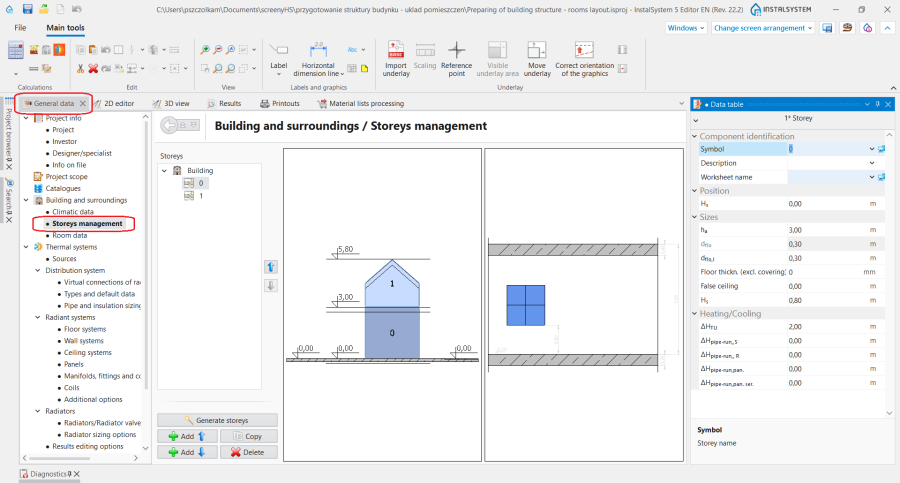
1. Управление этажами.

Данные помещения
- Данные помещения can be found in the Общие данные window, section Данные здания и окружения.
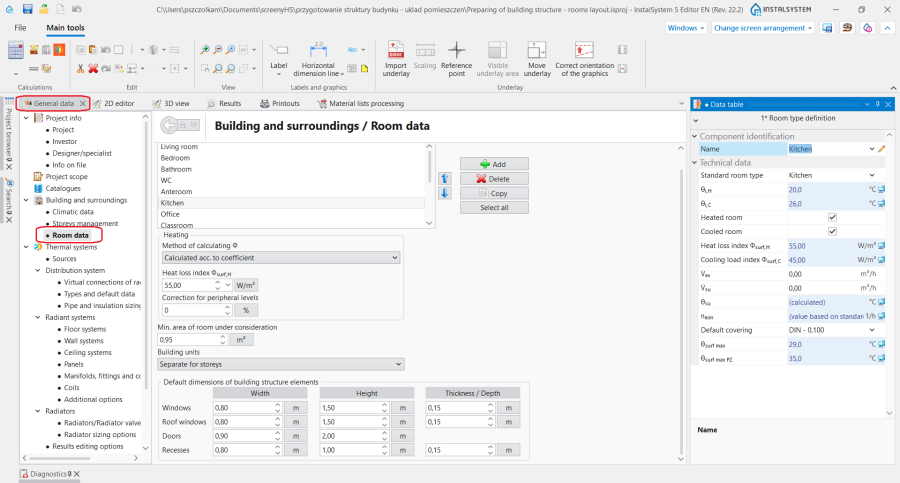
2. Данные помещения.

Помещение
- The icon used for placing a Помещение is on the Основные инструменты bar, section Конструкция, when the Конструкция scope is enabled.
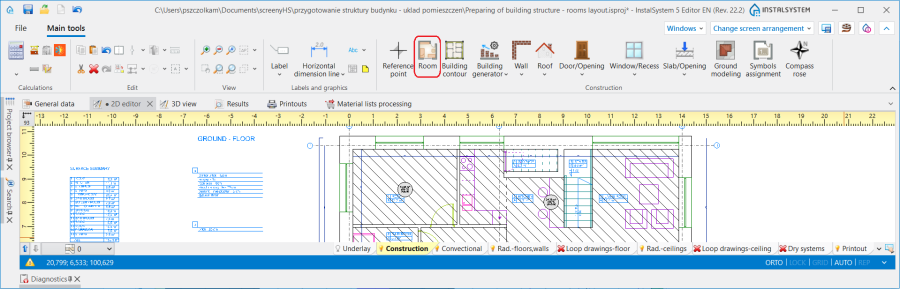
3. Помещение component.

Examples of use
Creating a storey
In the Управление этажами section information on the building location can be entered:
- Среднее заглубление здания
- Уровень грунта
as well as the major Этаж data:
- Позиция
- Отметка уровня пола на этаже
- Высота этажа
- Толщина верхнего перекрытия
- Толщина нижнего перекрытия
Более подробную информацию см.: Preparation of building structure - Storeys.
Основа
Основа is a two-dimensional (flat) graphical object extracted from a raster or vector file. Основа in itself does not provide any components of the building structure, but it allows for their manual creation in agreement with reality.
Более подробную информацию см.: Import underlay files.
Inserting a room
There are two methods of inserting a room into the design:
- by outlining the room edges
- by drawing a room diagonal
Более подробную информацию см.: Preparation of building structure - manual creation of rooms.
Tips:
- When inserting multiple rooms, enabling the ПОВТ function (F5) will facilitate work.
- To insert a Помещение by drawing a diagonal it is necessary to enable the ОРТО function.
Creating multi-storey rooms
Более подробную информацию см.: Preparation of building structure - Multi storey rooms.
Specifying room data
Данные помещения
Section Данные помещения in the Общие данные window contains the most important Параметры помещений, which are passed onto the components placed in the design. The following parameters are defined here:
- Определение типа помещения - select from a list of standard rooms or specify user room type.
- Метод расчета Φ for the Отопление and Охлаждение scopes (section display depends on the scopes enabled in the design).
- Values of Индекс теплопотерь Φsurf,H / Индекс теплопоступлений Φsurf,охл. when Метод расчета Φ method is selected: Рассчитываемые согласно коэфф..
- For every type of room: Внутренняя температура в режиме нагрева / Внутренняя температура в режиме охлаждения and many other parameters that can be changed by the user.

Editing room data in data table
All data in the table of Помещение in the АВТО mode (fields with a computer icon) are transferred from Общие данные. The user can change each of these values after substituting the computer icon with a pencil icon.
Subsequent sections of the data table have the following parameters arranged:
- section Идентификация элемента:
- Символ - Номер помещения in accordance with Пример символа коллектора, which is defined in the Общие данные window, section Конфигурация внешнего вида и описания компонентов
- Тип помещения - selection of this room type affects the parameters transferred to Отопление, Охлаждение sections
- Единица здания - in this field it is possible to change the unit to which the Помещение is assigned
- section Позиция - here the room can be moved to another storey or it can be defined as a multi-storey room. Более подробную информацию см.: Preparation of building structure - Multi storey rooms.
- С этажа
- На этаж
- section Размеры:
- As - Площадь помещения внутри перегородок|Площ.пом.в свету
- Толщина пола - in the АВТО mode the value is taken from the same name field of the Этаж component
- Высота подвесного потолка - in the АВТО mode the value is taken from the same name field of the Этаж component
The data table also contains the following sections: Отопление, Охлаждение, Вид 2D/3D, Метка.

Graphical presentation of the rooms layout
After editing is completed the appearance of the rooms layout is as shown in the video:
Более подробную информацию см.: View navigation in the graphical editor.
Numbering the rooms
Более подробную информацию см.: Preparation of building structure - Numbering the rooms.
Viewing the created building structure
The created building structure can be viewed both in the 2D редактор window, as well as in the 3D вид window. Браузер проекта and Поиск functions are also useful in the navigation through the building structure, both of which are presented in the video below.
Component style configuration
Style of the Помещение and of its label have both their places within the styles tree.
Более подробную информацию см.: Component appearance configuration.